How to run a multi-table workshop with RoomRadar
The full walkthrough for running a multi-table workshop: connect a phone per table, facilitate freely while every breakout group is captured in real time, and leave with a finished report.
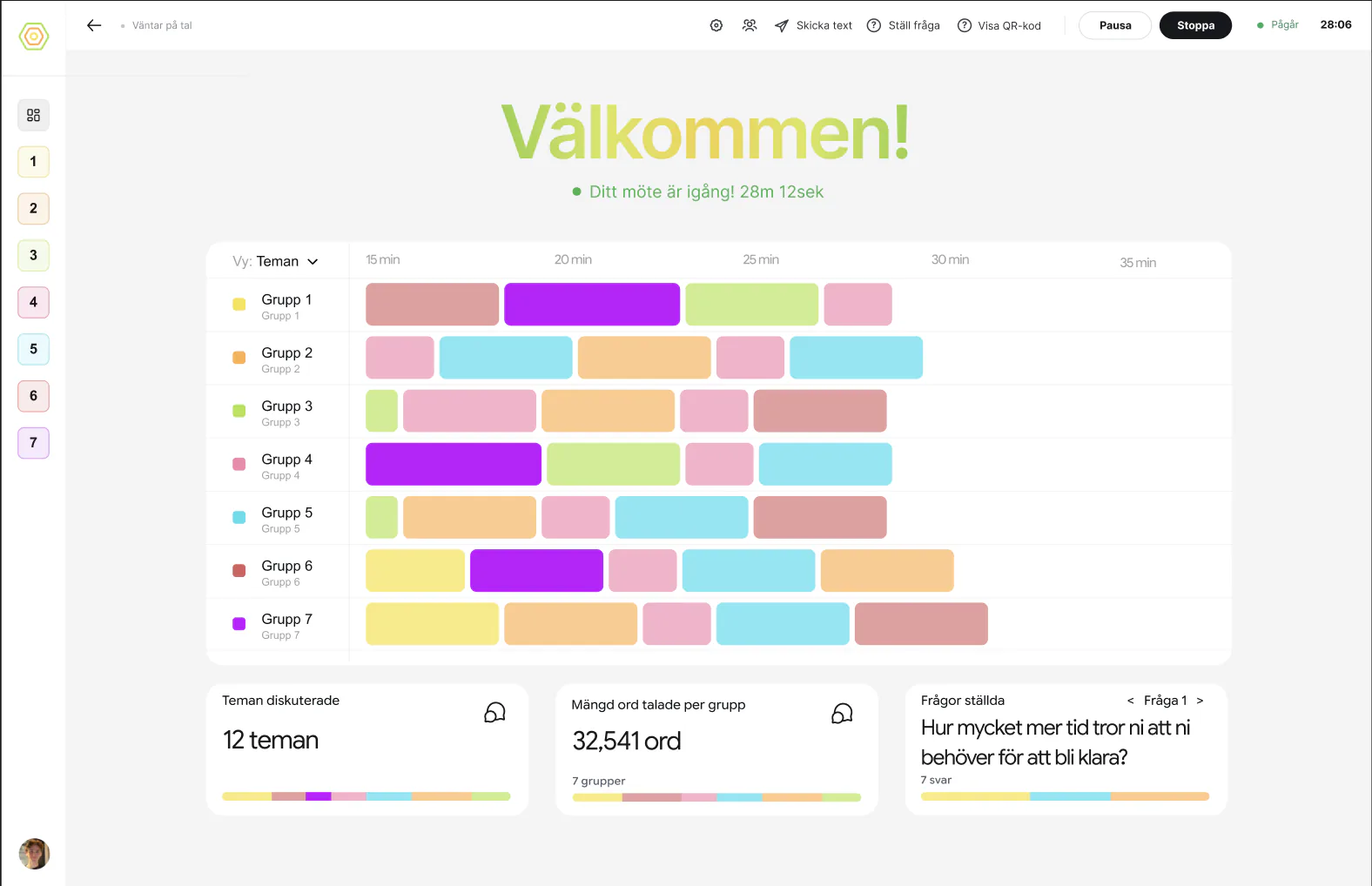
Running a multi-table workshop the traditional way forces a choice: facilitate well, or document well, rarely both. RoomRadar removes the trade-off. Put a phone on each table, and it listens to every breakout group at once, in real time, so you can stay fully present in the room while a shareable report builds itself in the background. This guide walks through the whole flow: connect, facilitate, and leave with a report.
Before the workshop: connect a phone per table
Any modern phone works as a table microphone, no app, no special hardware, no drivers. On home press Skapa workshop; you land on the new conversation's connection screen with its room code and QR code. Each table scans the code, allows microphone access, picks its table on the phone's join screen ("Vilken grupp är ni?") and becomes its own live audio source; its row on the connection screen says "hörs" once it is heard. If you planned the tables in the conversation's sheet ("Grupper · 4") they are already rows, marked "inte uppkopplad", so a table only has to tap its name. See connect phones as table mics for the full setup.
During the workshop: facilitate while it listens
Once you press Start, every connected group is transcribed in parallel and in real time, participants talk like they always would, with nothing for them to do. You watch the whole room from a single screen instead of choosing which one table to sit in on. See read the live workspace and monitor several groups at once for how to follow multiple tables without missing a quiet one.
Two tools keep you effectively in several places at once. The alerts flag a table that has gone quiet, is asking for help, or has drifted off topic, so you know where to step in before you would have noticed on your own. And you can broadcast a message or a live question to any table's phone screen without walking over and interrupting the discussion.
After the workshop: stop and get the report
When the session is over, click Stop. RoomRadar archives it immediately and builds the replay overview in the background, so the full transcript and per-group summaries are ready to review right away. From there, generate a report in a couple of clicks, pick the conversation as a source, choose which parts you want, and RoomRadar builds summaries, themes, and a shareable report, often ready before you have finished packing up. See stop a session and what happens next for the full picture, and understand your analysis for what is actually in the report once it lands.
The three steps, end to end
What you get
- Per-group summary, each table's discussion condensed into a clear brief with the key moments surfaced.
- Cross-group themes, ideas that came up at more than one table, counted, named, and clustered automatically.
- Workshop report, one document combining every group's output, ready to share with stakeholders.
Remote groups in the live group column
A remote group in Teams, Zoom or Google Meet joins through the conversation's link: one person per group opens it in Chrome or Edge on their computer and shares the computer sound (see the guide on remote groups). Its row wears a laptop beside the name. Connected means both the computer sound and the microphone come through; Microphone only or Computer sound only (amber) means one is missing and No sound that both are, and hovering the row says what to do. A planned remote group nobody has opened the link for reads Waiting and never holds Start back.
Digital groups in Teams breakout rooms
In Teams breakout rooms, one person in each room opens the link on their own computer. The computer hears the room's conversation in Teams and the person at it, so the whole group comes through, even when that person is muted in Teams. Press Copy invitation in Connect digital groups and paste it in the Teams chat before the rooms open.
FAQ
As many as you can connect phones for, RoomRadar transcribes every group in parallel regardless of count. The alerts and the live overview are what make one facilitator handling ten tables realistic, not just possible.
No. Once a phone is connected and the meeting has started, groups just talk. There is no app to keep open, nothing to take notes in.
RoomRadar works the same way for digital groups in Zoom, Meet or Teams: one person per group opens the conversation's link on a computer, and each group is captured as its own live source, same as a table phone.