Facilitate multiple breakout groups at once
How to watch several tables at once in RoomRadar without picking one to sit with: read the room theme by theme in the overview, let the notices ask you where to look, and drop into one group's page when it matters.
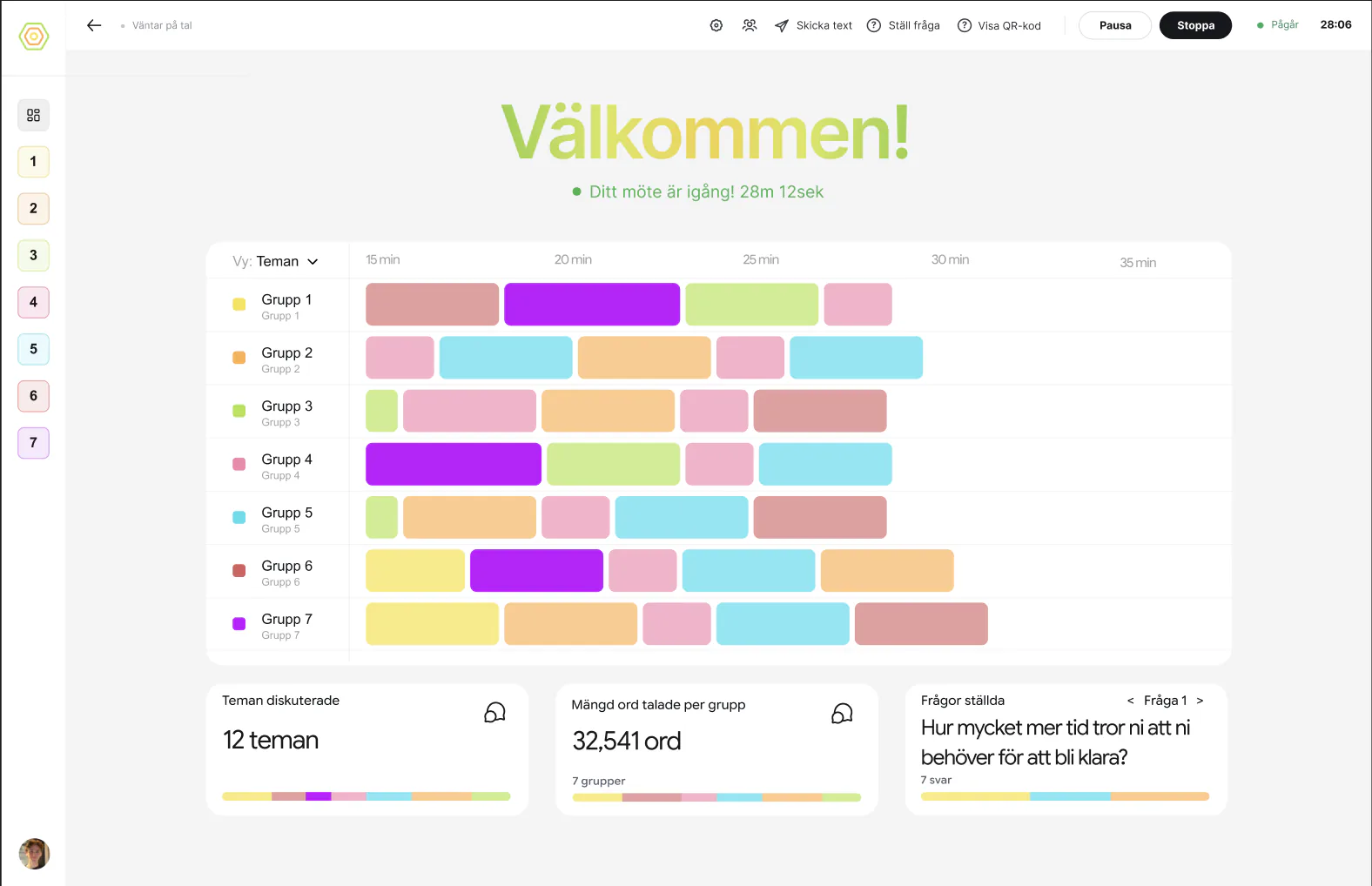
You cannot be at every table, which is why multi-table workshops usually force a choice between facilitating and documenting. RoomRadar's live workspace lets one facilitator watch several breakout groups at once, not by being everywhere, but by answering two questions from one screen: where should I go, and what does each table think. The overview answers the first, the group pages the second, and the notices interrupt you only with a question.
Read the room without opening a group
Översikt is theme-first. Under Teman diskuterade, each row is a theme with its share of the talk time and how many proposals and decisions it holds. Expand a row and every group's position on that theme is there in the group's colour, on equal footing; what two or more groups share is listed once under Gemensamt. Above the rows, a timeline lays every group on one axis, one row per table, switchable between Teman, Sentiment and phase. A quiet table is empty space next to its neighbours; a table stuck on one theme is a long single-colour block.
Let the notices ask
Reading one table is exactly when you stop noticing the others. Notices cover for you, and they are phrased as questions, never verdicts: "Grupp 4 verkar inte ha kommit in på uppgiften än, vill du titta?" when a table has been off the task for a while, "Grupp 2 har varit tyst i 4 minuter, vill du titta?" when one has gone quiet. Each has Titta, which opens that group's page, and Inte nu. A notice never fires in a part's first minutes, and the same one is not repeated for the same group inside a few minutes. In a workshop with a plan, a notice can also say a part is running past its planned end; the two ways to absorb it are offered on the plan page, where you choose.
Drop into one table
Click a group in the sidebar, or its position in a theme row, and its page opens: Åsikter, Vad gruppen har kommit fram till, Var tiden gick, Mätbara skillnader, Delat med andra, and the transcript under Transkribering. The page is written from that group's side, so it compares this table with the room instead of listing everything. Switching groups is instant; checking in on five tables in a minute is realistic.
FAQ
No. The overview and the notices are built so you do not. Open a group's page when the room, or a notice, gives you a reason.
Yes. Expand the theme's row in Översikt: every group's position on it, in its colour, and what they share under Gemensamt. Click a position to land on that group's page at that theme.
The theme rows replaced it. A heatmap showed who had touched what; a theme row shows what each group actually thinks about it, which is what you wanted the heatmap for.
Same data, transposed. The overview is one row per theme with the groups inside; a group page is one group with its themes inside. The first says where to go, the second what that table thinks.