What happens after a workshop ends
What happens when you stop a RoomRadar conversation: the groups choose what to share, the day's card grows, you land back on the plan if more parts are coming, and the recording opens with its analysis ready. The report is a separate step you take when you want it.
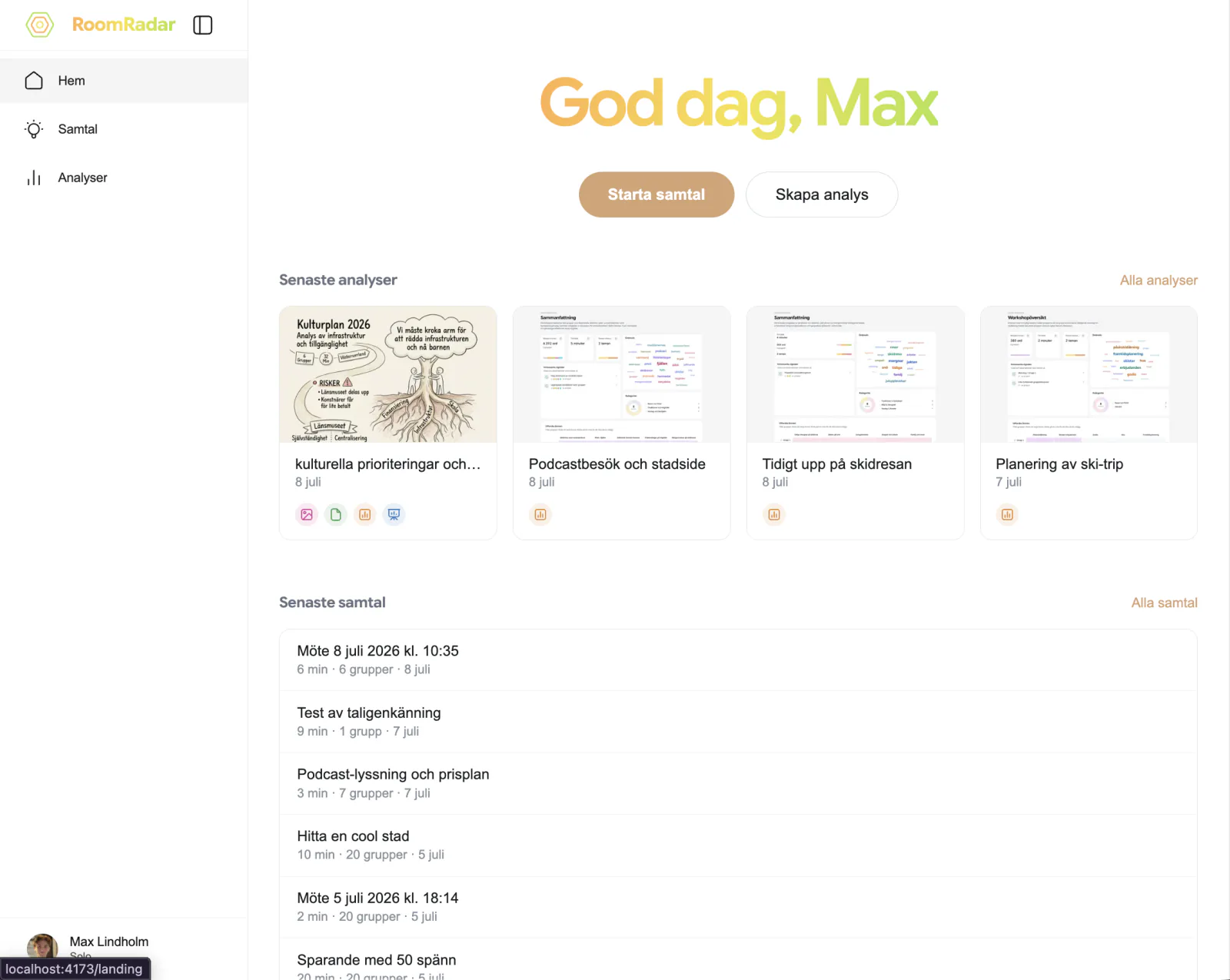
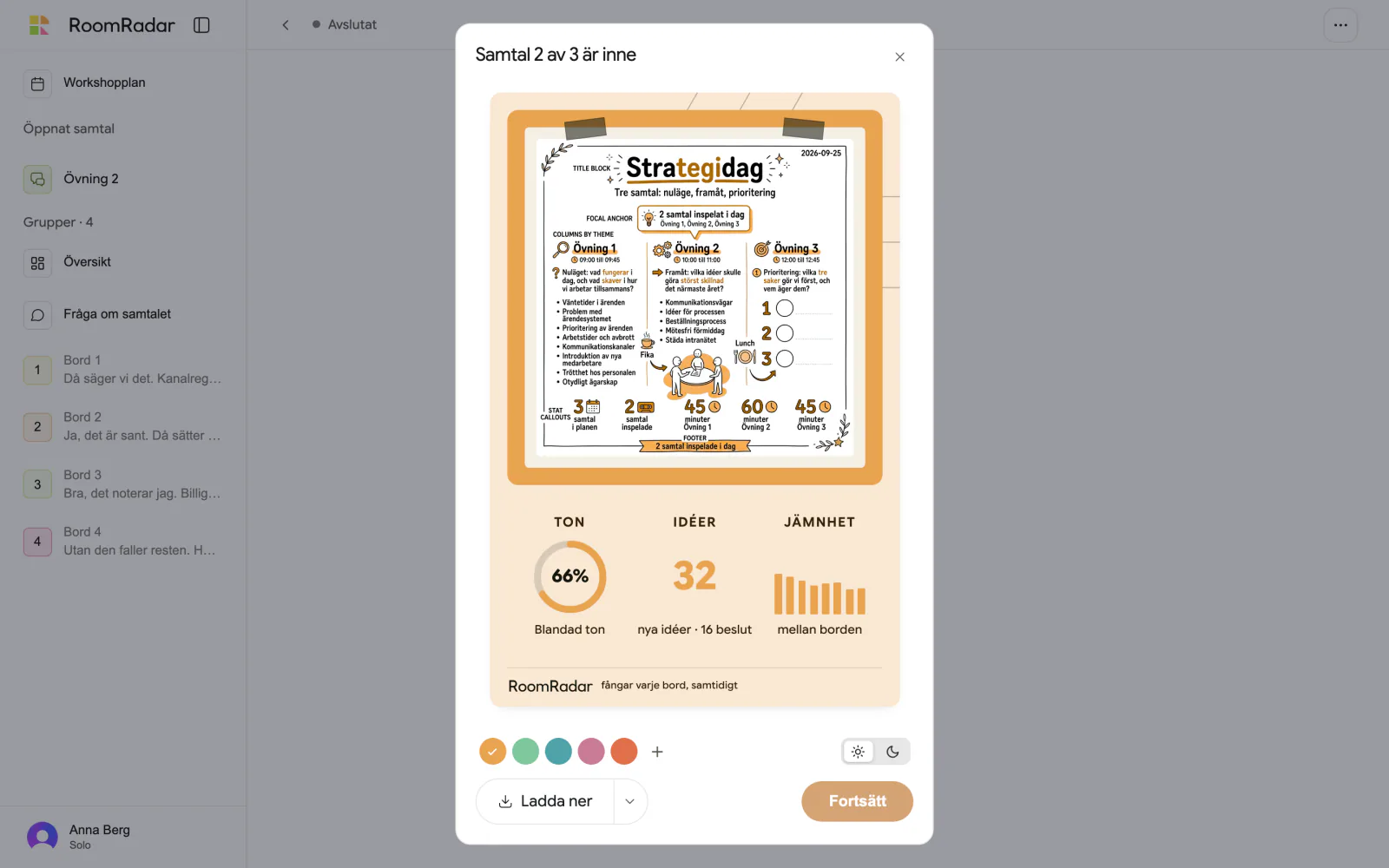
Stopping a conversation in RoomRadar is closer to the finish line than the start of one. When you press Stoppa, the recording is archived at once, the groups choose on their phones what to share, and the day's card takes shape. If the conversation is one part of a longer day, you land back on the plan with the next part ready to start; if it was the day's last part, you download the card and send it to the phones. The recording opens with every group's analysis already there. A written report is a separate step, taken when you want it.
Stopping
Press Stoppa in the header (or the bottom bar on a phone). Stop is immediate and final for that recording: the conversation cannot continue as the same live session. It is archived on the server right away, billing ends and every group's phone is released. When another part of the day is still to come, the phones get a waiting screen rather than an ended one: after the group has answered its questions the phone reads Samtal 1 av 3 är klart with "Ni kan lägga ifrån er mobilen. När nästa samtal startar dyker det upp här." and, as soon as the next part has a code, "Nästa samtal har kod 123 456". When you press Starta on that part the phone says Nästa samtal har börjat and one button, Fortsätt som Bord 1, takes it into the new conversation as its table; no code to type, no table to pick. After the day's last part the phone says thank you instead: Tack! and "Samtalet är klart. Ni kan stänga av mobilen." Nothing is lost; the transcript, the group pages and the overview are all in the recording.
A table that finishes early
A group that has finished talking does not have to wait for you: Vi är klara med samtalet, the black button in the phone's footer, stops the recording for that table. One question comes first, "Är ni klara med samtalet?", because groups at a real workshop read a bare "Vi är klara" as "we have understood the task" and pressed it at the start: Ja, vi är klara goes on, Nej, vi pratar vidare changes nothing. The mic goes off and the phone moves on by itself: first "Vi förbereder era val" while RoomRadar puts together what that one table talked about, then the table's own questions (the same screen as at a stop, "Välj vad ni vill skicka med!"), and after Fortsätt the waiting room: Samtal 1 av 3 är klart, "Ni kan stänga av mobilen. Öppna den här sidan igen när nästa samtal börjar.", the next conversation's code as soon as it has one, and a short summary of the table's own conversation with its themes. Changed their minds? Vi var inte klara lives behind the ⋮ beside the code while the questions are on their way and the conversation runs. It brings the table back into the running conversation on the same phone, also when the phone lay locked for a while, without typing the code again; if the conversation has already been stopped, the phone says so and keeps its questions. On your screen the table's row says "klar 10:42" in green under its name with a greyed swatch, nothing else changes, and the table is never warned about silence after that. Leaving the conversation for good is deliberately harder to hit: it lives behind the same ⋮, Lämna samtalet, with a confirm, and a phone that left is not asked anything at the stop. A table that never pressed Vi är klara gets its questions when you stop, as before, and lands in the same waiting room. A phone that reloads, or is opened again an hour later, lands where it should: in the waiting room, in its questions, or in the next conversation.
When every table in the conversation has pressed Vi är klara, you do not have to press Stoppa: the conversation stops by itself a few seconds after the last one, exactly as if you had, and the same screens follow. A table whose phone has left the conversation is not waited for; a table that is still connected and has not pressed it is. Vi var inte klara within those seconds holds the stop.
What happens right after
An ended conversation looks ended
Once stopped, a conversation is marked as ended wherever you see it that day. In the sidebar its row carries a small hollow dot beside the name (hover it: Avslutat). On the plan, the block's button gives way to Avslutat 10:34, the time it ended; the text still opens the conversation. Opening it takes you to the recording, never back to a join screen, and a phone that scans its code sees the waiting screen when a later part of the day exists (with that part's code), or Samtalet är avslutat after the day's last part. A conversation you started and stopped before anyone spoke reads Avslutat 10:34 · tomt: it left no recording, and its code no longer admits phones.
Started by mistake? Reset it
Pressing Starta too early happens. An ended conversation can go back to not started: open its … menu on the recording, or right-click the block on the plan (the sheet's … menu has it too), and choose Återställ samtalet. The confirm says what goes: "Det inspelade från den här körningen, 0:42, tas bort." Its name, time, material and groups stay (the tables from the run are listed on the join screen again, by the names they had); it gets a fresh code, and the join screen and Starta work as if it had never run. Nothing else in the workshop changes. A report that was built over the removed run keeps its text; the recording behind that part is simply gone.
The recording: replay with the analysis in it
The recording is the archived conversation: every group's transcript as it happened, and the analysis that was built while it ran. Översikt lays the room out theme by theme; each group's page has Åsikter, Vad gruppen har kommit fram till, Var tiden gick and the transcript under Transkribering. Create a written summary or a sketchnote of any range with Skapa. See monitor multiple breakout group discussions live for how to read these; they are the same pages you had during the session.
A recording made before the analysis existed opens with empty cards and a Generera analys button. See why an older conversation has no analysis.
The recording's … menu keeps the ways to take the material out: Dela inspelning (a read-only link for someone who was not there), Visa ställda frågor, Visa kort, Exportera samtal (a JSON file with transcripts and summaries) and Kopiera alla samtal, every group's transcript as plain text for your clipboard, so you can paste the whole day into whatever assistant you already use.
The report is a separate step
A recording's analysis is living: it belongs to the conversation and it is what you read. An analys is a deliverable: a text, an insight report, a presentation, a sketchnote, made on purpose over the parts you choose and frozen at that moment, so you can share it as a thing.
See understand your analysis for what each part contains.
FAQ
Not as such: the live session is over and cannot continue. Nothing is lost, the transcript, the group pages and the overview are in the recording. If the run was a mistake, Återställ samtalet (in the recording's menu or the block's menu on the plan) removes that run's recording and makes the conversation startable again with a fresh code, its name, time, material and groups kept.
A hollow dot beside the name in the sidebar and "Avslutat 10:34" on the block on the plan, in place of the button. Hover the dot for the word. A run that recorded nothing says "Avslutat 10:34 · tomt".
Yes. Vi är klara med samtalet in the phone's footer, confirmed with Ja, vi är klara, stops that table's recording; the row on your screen says "klar 10:42" in green. The table gets its own questions right away, not at your stop, and then waits in the waiting room until the next conversation opens. Vi var inte klara (behind ⋮ on the phone) undoes it while the questions are on their way and the conversation runs.
No. The waiting room says so itself: "Ni kan stänga av mobilen. Öppna den här sidan igen när nästa samtal börjar." When you open the next conversation's connection screen, every waiting phone connects to it as its table by itself, even one still on "Välj vad ni vill skicka med" (its choices go in as they stand), and a phone opened later does the same.
No. The phones get the day's card when you send it: Skicka till grupperna sits under the small arrow beside Ladda ner, bottom left of the card, after any part of the day. During the day the card grows on your screen after each part.
No. Stopping archives the recording and its living analysis. A report is a deliverable you make from the workshop's sidebar with Ny analys, over the parts you choose.
On home. One row per workshop; open it and the parts are in the sidebar under Samtal, the reports under Analyser. A single conversation is a one-line row, as before.
No. The plan is an expectation. The recording keeps its actual times; the plan keeps its planned ones, and the day view shows both.