Get alerted when a breakout group stalls
Turn on alerts so RoomRadar flags a group that asks for help or a discussion drifting off topic while you are watching another one, and takes you to the line where they said it.
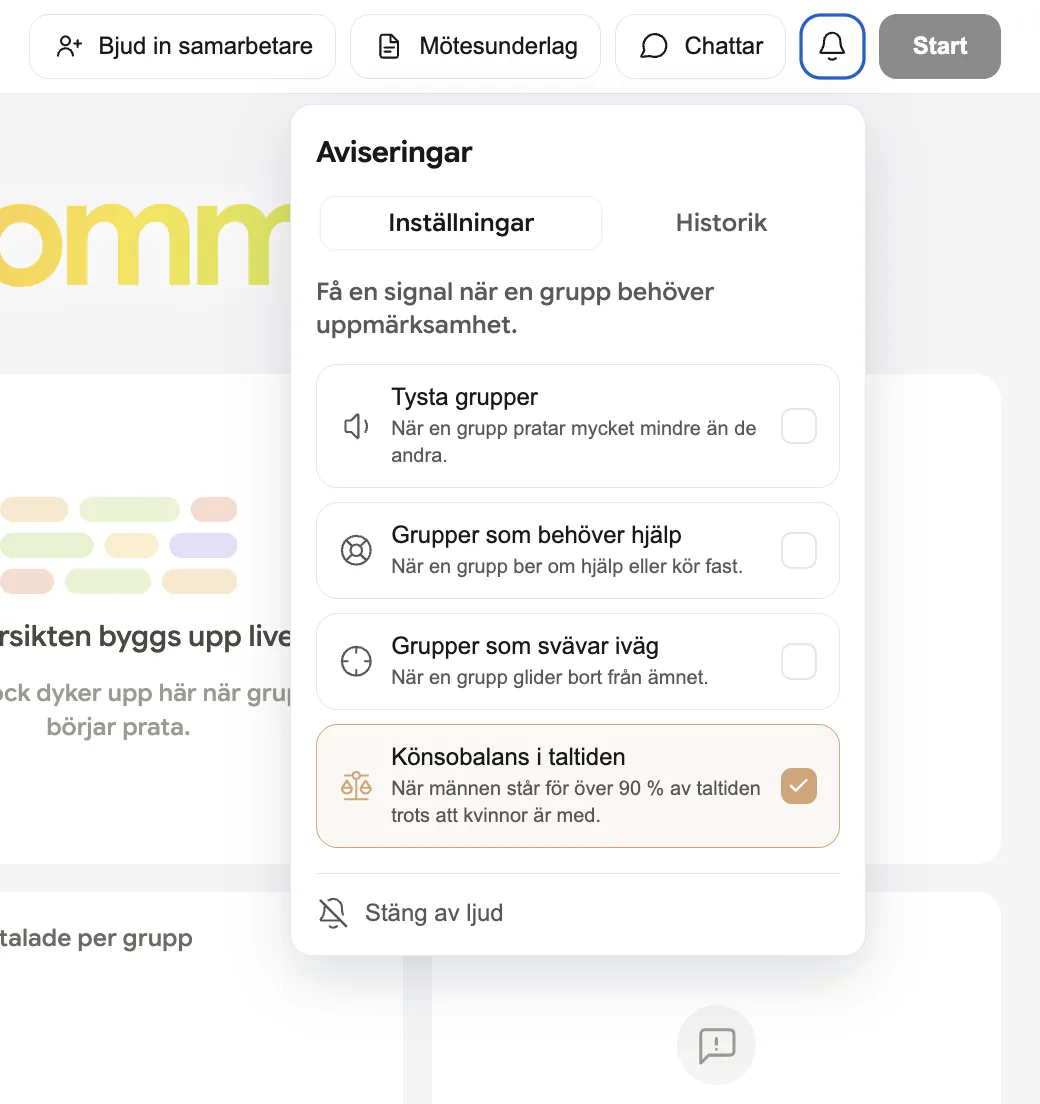
A facilitator running several breakout groups at once cannot watch every table all the time. RoomRadar's alerts are built for exactly that: it watches every group in the background and gets you alerted when a breakout group stalls, asks for help, or drifts off topic, so you find out the moment it happens, not when you happen to check in.
Where to find it
Open the ... menu in the live workspace header, next to Pause and Stop, and choose Notifications. The panel has two tabs: Settings and History. When an alert needs your attention, a dot appears on the ... button itself, so you can see there is something waiting without opening anything.
The alert types
- Groups needing help, "When a group says out loud that they are stuck or asks for you." RoomRadar reads the live transcript and flags a group only when there is a sentence you could quote back: they call the facilitator over, say plainly that they cannot continue, or report a tool problem that stops them working. Sounding confused, going slowly, or asking each other a hard question never counts, and one such line is not enough on its own, it has to repeat within about three minutes. The alert carries the sentence that triggered it and takes you to that exact line in the transcript. This is the only alert type that plays a sound and pulses the group's dot. Enabled by default.
- Groups off topic, "When a group drifts away from the topic." This one needs setup: click Edit topic and describe what the groups are meant to be discussing, either one topic for everyone or a different one per group. RoomRadar then flags a group whose conversation drifts away from that description. Off by default until you set a topic.
- Gender imbalance, flags a group (or the whole meeting) where men account for over 90% of the talk time despite women being present. This one only appears when the meeting is running the speaker-data transcription model, since without per-speaker attribution there is no talk time to split. Enabled by default when it is available, and worth leaving on for any workshop that cares about who gets heard.
React to an alert
FAQ
It needs a topic description first. Open Notifications, click Edit topic under Groups off topic, and save what the groups are meant to be discussing, globally or per group.
That is the intended behaviour. Needs-help only fires on words: someone has to ask for you, say they cannot continue, or report a broken tool. Thinking out loud, disagreeing, going quiet, or asking each other a hard question all count as normal work. A whole workshop with no needs-help alert is a normal outcome, and the bar is set there so that when the sound does play, it is worth walking over.
Yes. Open Notifications and click the clock icon in the top right of the panel for a timestamped list of everything that fired, each with the line that triggered it and a link back to that moment. Use Clear history to reset it.