Present workshop findings to stakeholders
Present workshop findings straight from RoomRadar: an editable slide deck built from your analysis, with a presenter view for running it in the room.
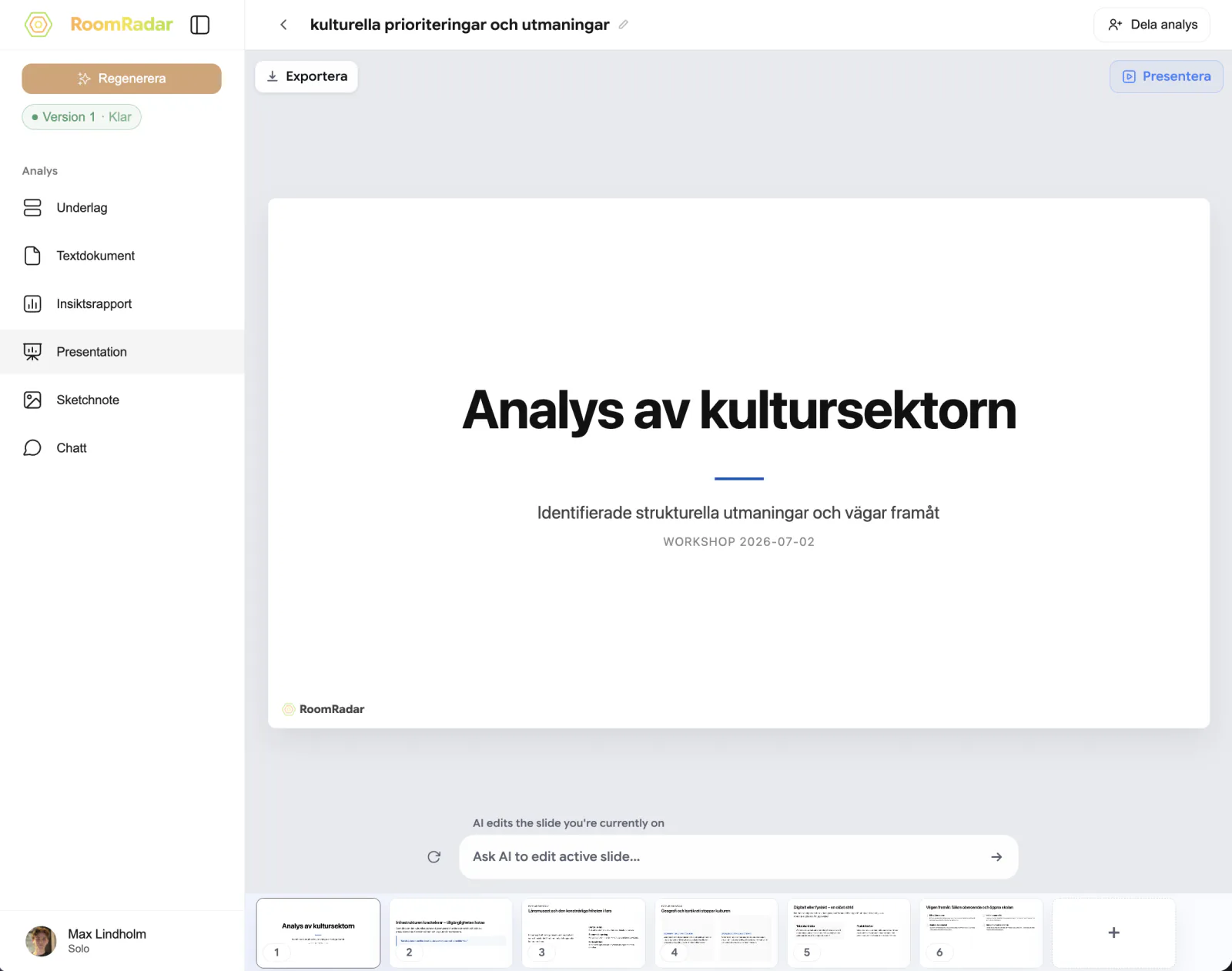
When a workshop wraps, the results still need to reach the people who were not in the room. RoomRadar builds a slide deck straight from your analysis, so you can present workshop findings to stakeholders without rebuilding a summary from scratch, a title slide, one or more theme slides, and a closing summary, all pulled from the same transcripts as the rest of your analysis.
The presentation part
Presentation is one of the four parts you can generate for an analysis, alongside text, insight report, and sketchnote, turn it on when you create the analysis. Once generated, it opens as an editable deck: move and resize text, image, and shape elements on any slide, add a slide, duplicate one, or delete one, the same way you would in any slide editor.
Running it in the room
For an in-room debrief, use Present to run the deck full-screen from your laptop. If you connect a second screen or projector, RoomRadar can split the view: the audience sees only the slide, full-screen, on the external display, while your own screen shows a control view with prev/next controls and an elapsed timer, the same idea as presenter view in other slide tools. The audience window needs an external display connected to work; without one, RoomRadar falls back to a plain full-screen presentation on your own screen.
This presenter view runs on the computer you are presenting from, it is not a remote or cross-device feature, and there is no code or link to connect a second person's device to it.
Sharing slides with people who were not in the room
To get the deck in front of stakeholders who cannot join in person, export it instead of presenting live. Export as PDF for a quick read-through, as an editable PPTX to keep working on it in PowerPoint or Keynote, or as an exact PPTX when you need the slides to look identical to what RoomRadar rendered. All three keep the deck as built from your workshop summary and themes across groups.
Present with a second screen
FAQ
Yes, without an external display connected, Present shows the deck full-screen on your own screen instead of splitting into an audience and control view.
Yes. Every element on every slide is editable, move text and images, add slides, duplicate or delete them, before you present or export.
Editable PPTX keeps slide elements as native, editable shapes so you can keep working on the deck in PowerPoint or Keynote. Exact PPTX renders the slide pixel-for-pixel as RoomRadar built it, prioritizing visual fidelity over editability.