Ask questions about your workshop results
Every RoomRadar analysis has a chat: ask questions about your workshop results, or ask it to add or remove an insight, and it edits the analysis for you.
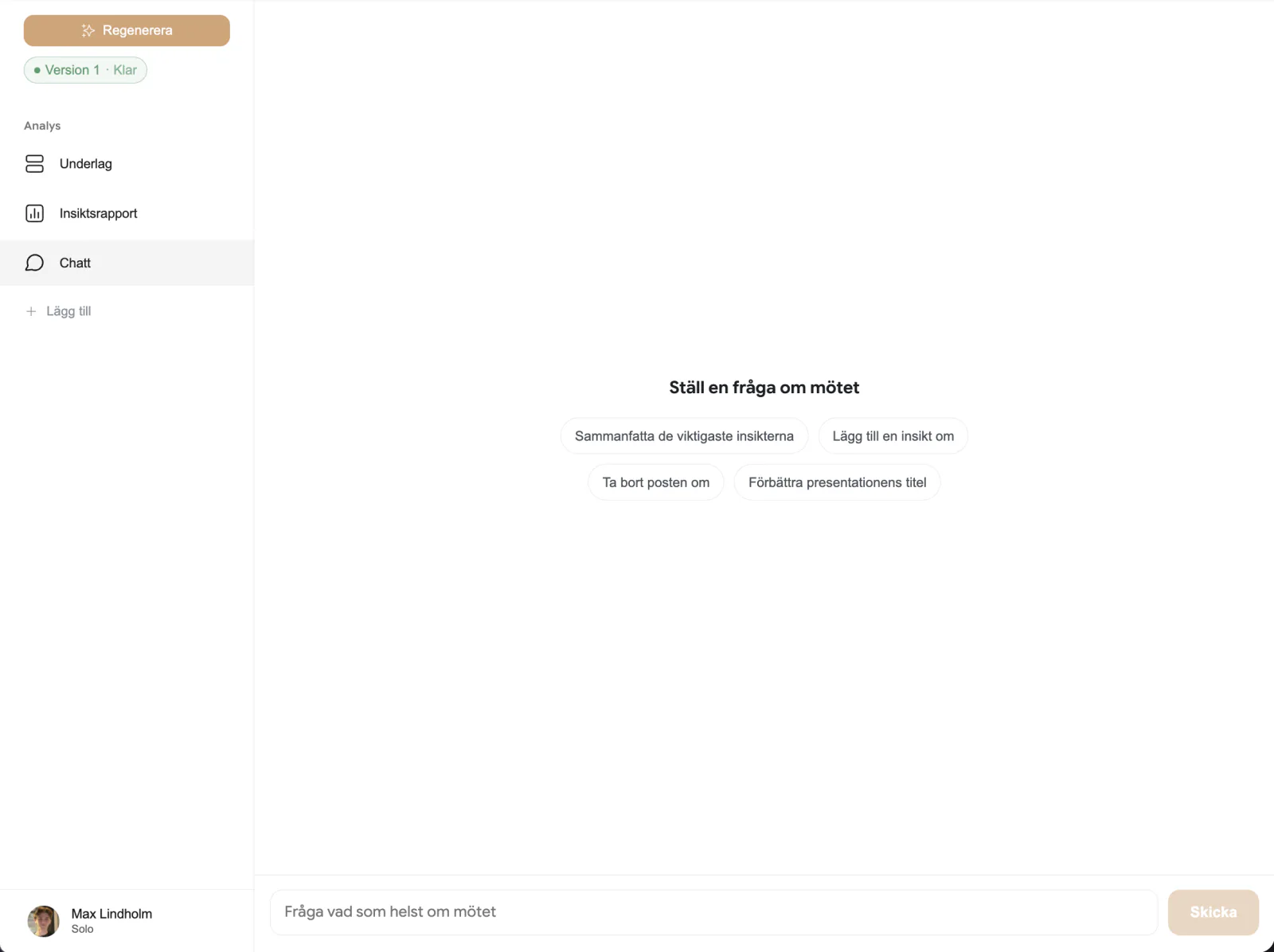
Every analysis in RoomRadar comes with a chat, no matter which parts you generated. It is there to save you from re-reading a long transcript: ask questions about your workshop results directly, in plain language, and get an answer grounded in what your groups actually said, with the option to have the chat edit the analysis itself when something needs fixing.
Where to find it
Open an analysis and switch to the Chat tab, it sits alongside whichever parts you generated (text, insight report, presentation, sketchnote). The chat is not tied to one part: it reads the whole analysis, so a question about a theme that shows up in your insight report can also touch the presentation.
Ask questions about the results
Type a question the same way you would ask a colleague who sat through the whole workshop: "What were the most important insights?" or "Which groups disagreed on pricing?" The chat answers from the analysis and, when it needs more than the summary gives, searches the source transcripts for exact wording and who said it, without ever naming a participant or exposing an internal ID in its reply.
If you are not sure what to ask, use one of the suggested prompts in the empty state: Summarize the key insights, Add an insight about …, Remove the item about …, or Improve the presentation title.
Ask it to edit the analysis
Beyond answering questions, the chat can change the analysis on request. Ask it to add an insight, remove one, reword a theme, or fix a recommendation, and it edits the underlying content directly, including the slide deck, if you ask it to change the presentation. A correction works the same way: telling it "that never happened" or "X did not cause Y like it says" is treated as an instruction to fix the analysis, not a question to research further.
After an edit, the reply shows a short changes report inline, what was added, removed, or reworded, so you can see exactly what changed instead of having to compare before and after yourself.
Ask a question or request an edit
Attach a file
You can attach a file to a message: drop it on the message field, or use the Add a file button beside it. The file goes into the workshop's material the same way an upload on the planning page does, and the message tells the chat which file you mean, so "make a plan from this one" or "what does this say about pricing?" refers to the file you just attached. This works in every chat you own (a conversation, the workshop chat, and the analysis chat); a shared chat link does not offer it.
FAQ
Yes, since the chat can add items back, ask it to re-add whatever it removed, or tell it what to restore. There is also an undo affordance on the change chips.
Both. It answers from the analysis first, and searches the source transcripts for exact wording or who said something when the summary alone is not enough.
Yes. See share an analysis or chat for how to send a link to the chat thread itself.
Yes. Drop it on the message field or use the Add a file button beside it; the chat treats it as the file you just mentioned. A shared chat link does not offer this.