Privacy, consent, and data retention
RoomRadar stores workshop data in the EU, encrypts it, and never sells it or uses it to train AI. Here is how to control what is saved, for how long, and what to tell participants.
RoomRadar is built to capture sensitive workshop conversations responsibly. Your data is stored in the EU (Finland) and encrypted, and your workshop data is never sold or used to train AI. Some AI processing may use trusted providers outside the EU under standard contractual clauses. You decide what is saved and for how long, from Settings.
Where your data lives
- Your data is stored in the EU (Finland).
- Transcripts and summaries are encrypted at rest, and data is encrypted in transit.
- Some AI processing may use trusted providers outside the EU under standard contractual clauses.
- Your data is never sold or used to train AI.
Control what is saved
Secure mode
On higher-tier plans, Secure mode keeps transcription and AI summaries within the EU with zero data retention, so meeting text stays inside the EU for the most sensitive work. It is available on request and is not enabled by default. It does not cover image generation, presentations skip AI images entirely, and sketchnotes show a warning before generating since that step still uses a non-EU model.
You keep your Transcription level in Secure mode. All three levels run on an EU endpoint, so choosing Budget, Optimal, or Talardata is still a decision about cost, accuracy, and whether you want live speaker stats, not about where the audio is processed.
FAQ
Your data is stored in the EU (Finland) and encrypted. Some AI processing may run outside the EU under standard contractual clauses, and is never sold or used to train AI.
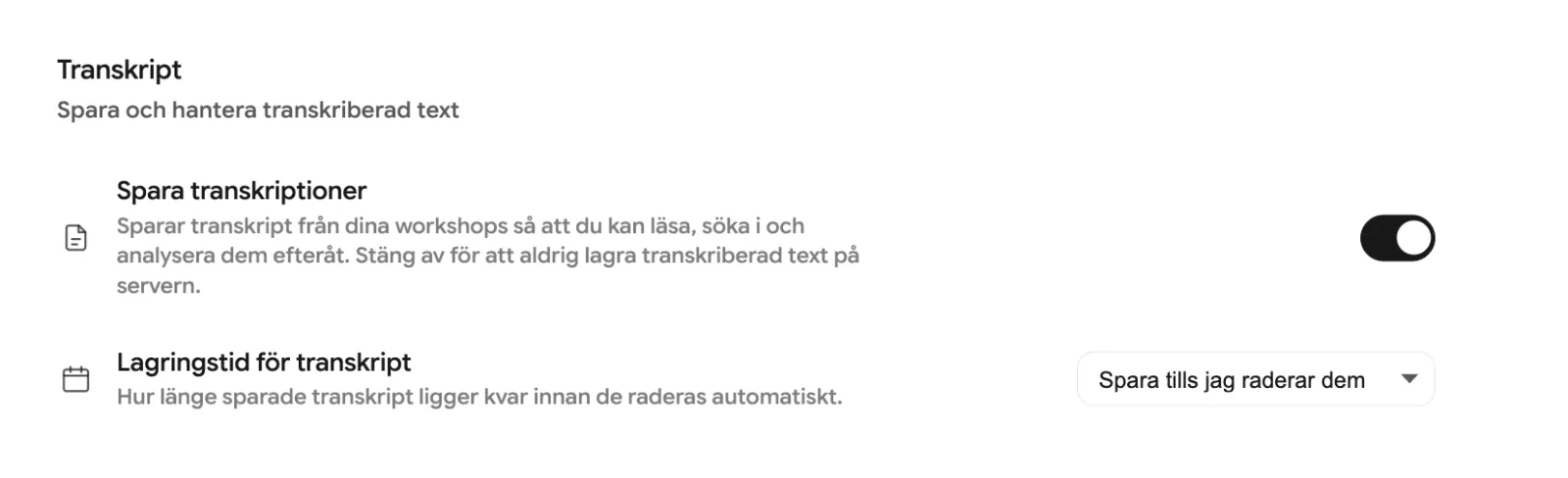
Turn off Save transcripts in Settings, or set Transcript retention to delete them automatically after a day or a set number of days.
Not unless you ask for it. Save group audio is off by default, so audio is processed live and only the text and metadata are kept. If you turn it on, the group recordings are stored for 7 days and then deleted automatically.
Yes, on higher-tier plans with Secure mode (available on request, not enabled by default), which keeps transcription and AI summaries within EU-based infrastructure so meeting text stays contained. Image generation is not covered by Secure mode.