How live summaries work
In a live conversation the positions, the ledger and the time split update on their own, but a written summary is made when you press Create, for the range you choose, and it stays readable when new talk arrives. Here is what updates itself, what you create, and when a summary is worth trusting.
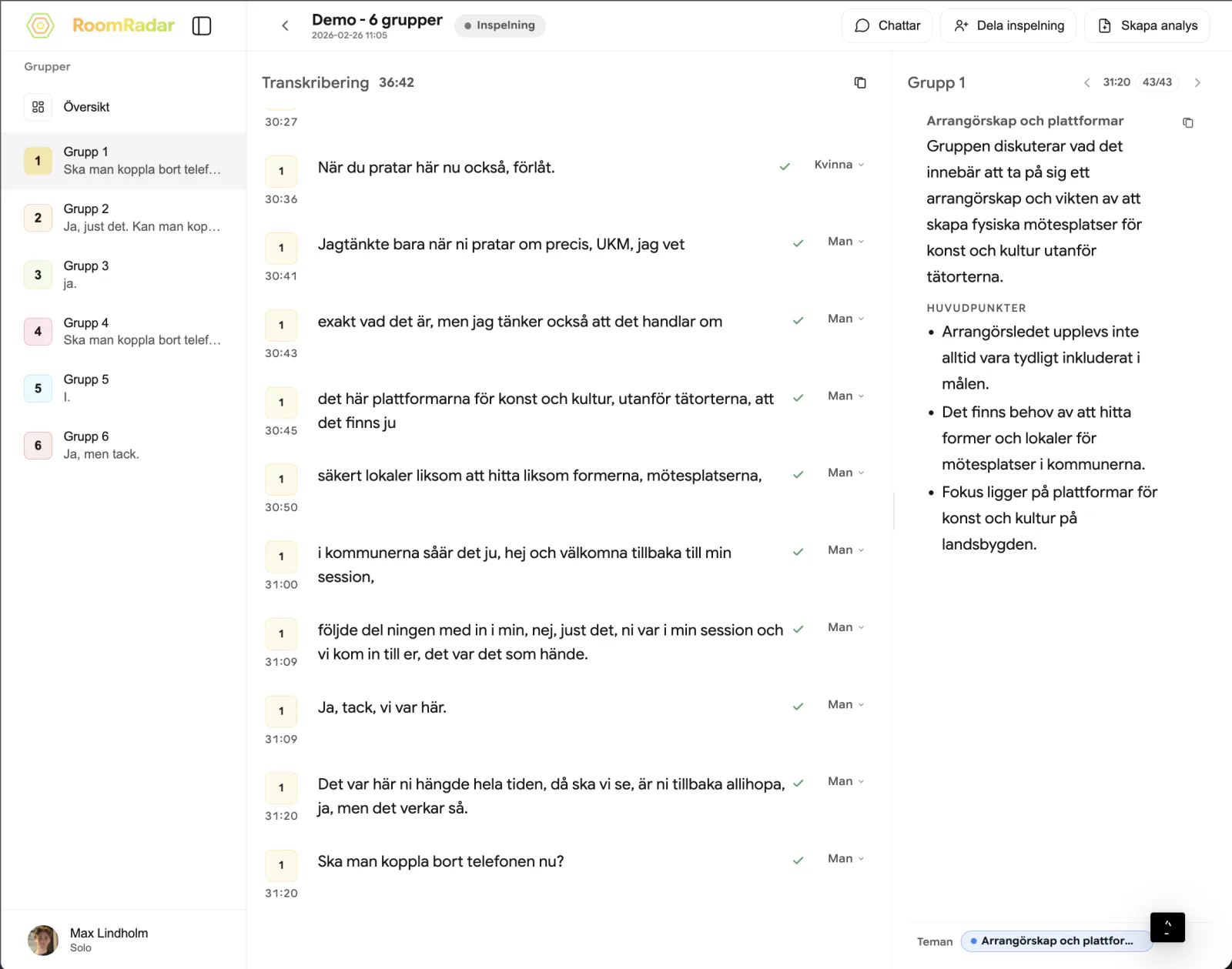
A live summary in RoomRadar is written when you ask for it, not on a timer. On a group's page the positions, the ledger and the time split update by themselves as the group talks; the Sammanfattning card is different. You pick a range (Senaste 5 min, Senaste 15 min, Hela samtalet or Egen period), press Skapa, and get a summary of that range as it stood at that moment. New talk does not erase it. The card tells you how much has been recorded since, and you press Skapa again when you want a fresh one.
What updates itself, and what you create
The transcript streams as people speak. Behind it, the analysis keeps a running record for each group: which themes it has touched, the position it has taken on each, what it has arrived at (Vad gruppen har kommit fram till), and where its minutes went (Var tiden gick). Those cards move on their own, a little behind the transcript, and you never press anything to refresh them.
Two things are made on demand, because they are the most expensive things on the page and because a summary is a snapshot of a moment, not a document that keeps rewriting itself under you: the written Sammanfattning and the Sketchnote. Both use the same range selector.
Creating a summary
Group names in the summary
When a summary mentions another group, the name is a chip in that group's colour. Click it and you land on the specific thing it refers to on the other group's page, a shared proposal or a position on the same theme, not just the top of the page. A chip only appears when there is a real record behind it; if the model wrote something no record supports, the reference is dropped rather than shown.
In a workshop with several parts
If the conversation is one part of a workshop and its block has a topic ("Vad ska samtalet handla om?" in the conversation sheet), the analysis reads that text during the conversation, and the earlier parts' outcomes are known to it in compact form. A summary of part two can therefore say that a table is repeating part one instead of building on it. The earlier parts' transcripts are never read into a summary unless you ask for a specific window.
FAQ
Because a summary is a snapshot of a moment. If it rewrote itself while you read it, you could never quote it. It stays as written, tells you how many minutes have been recorded since, and you press Skapa when you want a new one. Every summary you create is kept.
Senaste 5 min to see what a table is doing right now, Senaste 15 min before you walk over, Hela samtalet when you close. Egen period covers a specific exercise.
The summary was written from this group's side against the four other groups that had material at that moment. Deselecting groups in the picker changes who it is compared with.
"Ingenting analyserat i det valda tidsfönstret. Prova ett större intervall." The group said nothing in that range. Widen it.
Yes. When the analysis has nothing on the group yet, the summary is written from the group's own transcript for the range, without the comparison with other groups. Only a group that has not said anything yet gets "Gruppen har inte sagt något än. Sammanfatta när de har kommit igång."
No, from the same analysis record as the summary, for the same range, so it is already deduplicated and organised by theme. It is created on demand with its own Skapa and takes a minute or two.