RoomRadar bills on usage, not per minute you have to watch. Your plan includes a monthly level of usage that renews each month, and you can add extra usage if you run out. Here is how it works.
Updated Oct 2, 20264 min read
RoomRadar is built for ongoing use without a cost counter to watch during a workshop. Your plan comes with a monthly level of usage that renews each month; higher plans include more, up to unlimited. This guide covers how usage works and what to do if you run low.
How your plan works
Your plan includes a monthly usage level that resets each month.
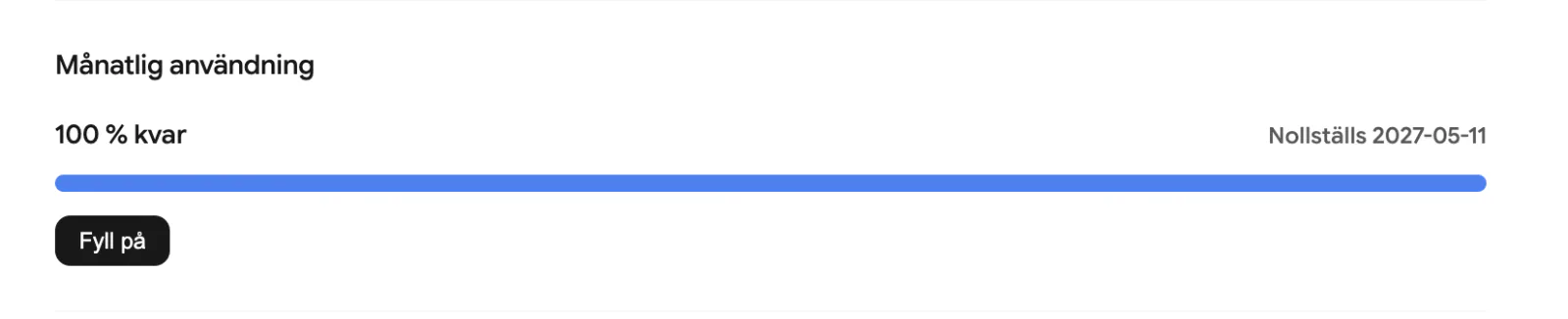
You can see how much is remaining for the month at any time.
Higher plans include more headroom, up to unlimited usage.
There is no per-minute counter to watch mid-session.
If you run low or out
As you approach your monthly level, RoomRadar lets you know so you can upgrade for more headroom. If you reach the limit, you can add an extra usage refill to keep going without changing plan.
If you run several large workshops a month, a higher plan is usually calmer than topping up each time, you get the headroom up front and nothing to watch during a session.
Pay by invoice
Companies, municipalities and regions can pay the Weekly Pass or a yearly plan by invoice instead of card, and choose the day it starts. The pass starts on that day whether or not the invoice is paid yet; payment is due within 30 days. The price is the same as by card and includes VAT (the Weekly Pass is 2,490 SEK, of which 498 SEK VAT).
1
Open the invoice form
In Settings, Billing, press Pay by invoice under the plan's buy button.
2
Choose the start date
Pick the day in Start date, from today up to 90 days ahead. The line under it says which days the pass covers.
3
Say who pays
The first time, enter the Organisation number: if we know the organisation we fill in the name and address, otherwise you enter them. You add a Contact person and Your reference (the reference code a public buyer asks for). Fields that are not required are marked (optional). If you press Place order before everything is filled in, what is missing is marked and listed above the button. Next time the customer you used last is already chosen. A foreign company or one without an organisation number chooses Fill in yourself, and we arrange that invoice by hand.
4
Choose the invoice type
Under Invoice type you choose how the invoice arrives: an E-invoice goes over Peppol (how municipalities, regions and agencies receive invoices, and preselected for them), PDF by email needs an Invoice email, and a Letter is posted to the address.
5
Add what the buyer requires
More fields holds the PO number, project and contract references, a text to print on the invoice, a delivery address and the invoice language.
6
Place order
The order shows at once under Ordered by invoice, with the invoice number and due date as soon as the invoice is created. If we need to check the details first it says "RoomRadar is reviewing the invoice" until we have, usually within a working day. If our accounting system does not answer it says "The invoice is delayed"; we try again automatically and there is nothing you need to do. Until the first day you can cancel it from the row's menu, and the invoice is credited.
7
What we check
Before the invoice is created we check that the organisation number is valid and belongs to an active company or public body, that the organisation receives e-invoices if you chose that, and that the invoice email can receive mail. If something does not match, the form tells you what at once. If something cannot be checked automatically we look at the order by hand; the pass still starts on the day you chose. A new order cannot be placed while the organisation has four unpaid orders with us, or an unpaid invoice more than 30 days old.
FAQ
Can we pay by invoice?
Yes, for the Weekly Pass and the yearly plans. Choose Pay by invoice under the plan, pick the start date and enter the organisation number. Payment is due within 30 days and the pass starts on the day you chose.
Do I pay per minute?
No. Billing is usage-based against a monthly level that renews each month, so there is no per-minute counter to watch during a workshop.
What happens if I run out mid-workshop?
You can add an extra usage refill to continue, or upgrade to a plan with more headroom.
Does unused usage roll over?
Your monthly level renews each month rather than carrying over.